Nanome is a collaborative molecular visualization and drug discovery platform that runs across a browser web app, XR headsets, and Windows desktop. For protein structure analysis, it loads PDB and SDF files (and pulls straight from RCSB PDB, PubChem, and DrugBank), and lets you inspect structures in real-time 3D or immersive XR. Its AI copilot, MARA, runs analyses like electrostatics, interactions, SASA, alignment, and pocket detection from a request written in plain English. It also plays well with the desktop tools most structural biologists already know.
What protein structure analysis actually involves
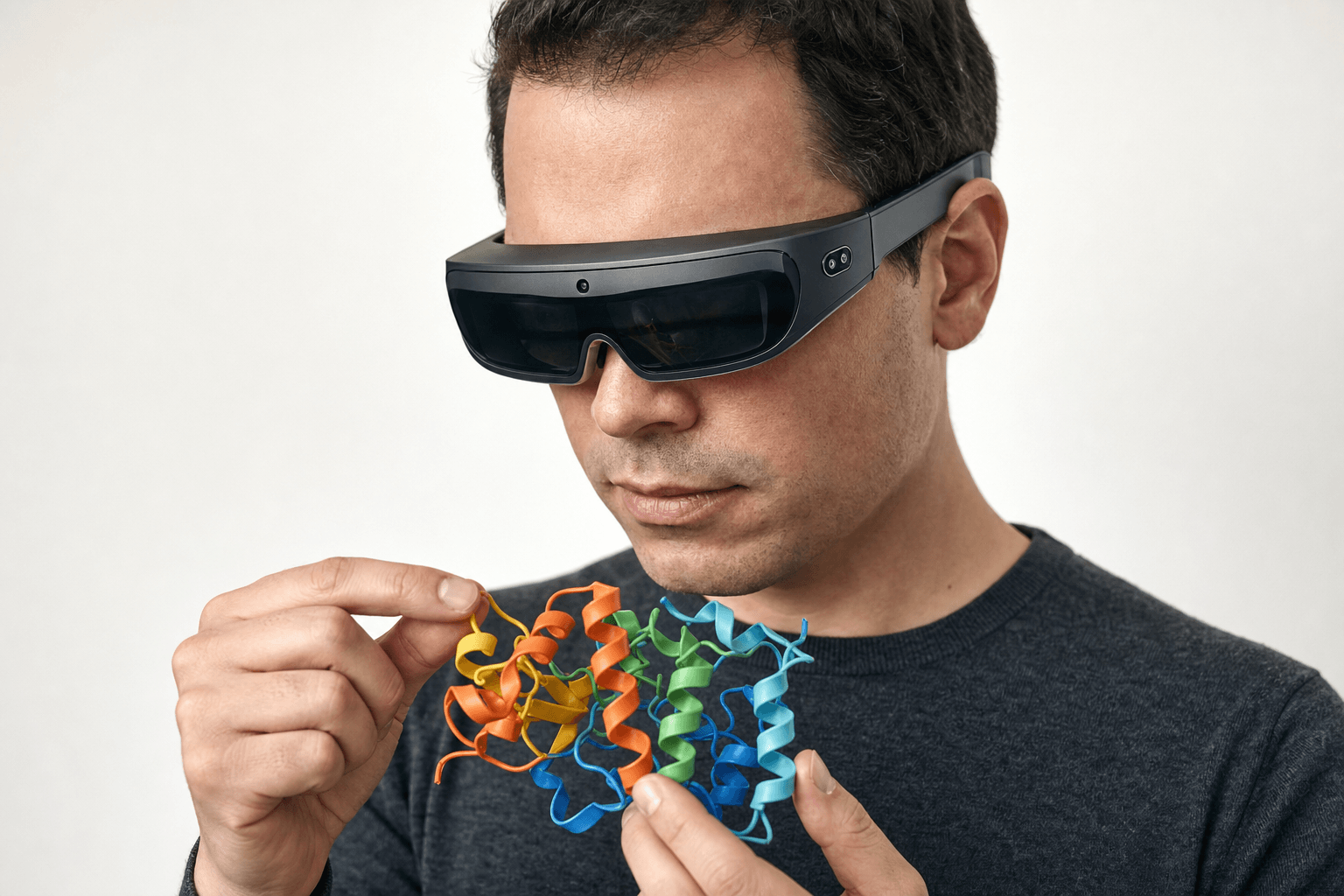 A researcher wearing an ultra-thin VR headset studies a ribbon-cartoon protein structure held close to the chest
"Structure analysis" is a bundle of separate jobs that happen to share a file. Most projects touch several of them:
- Loading a structure, usually PDB or mmCIF, often fetched by ID from RCSB PDB.
- Reading secondary structure: where the helices and sheets sit, and how the loops between them pack.
- Finding non-covalent contacts, hydrogen bonds and salt bridges among them, between residues or between a protein and a ligand.
- Superimposing structures to compare conformations or homologs.
- Detecting pockets and candidate binding sites.
- Stepping through a molecular dynamics trajectory to watch the structure move.
Which software suits a group comes down to which of those jobs fills the week, and to how many people need to read the result together.
The common desktop tools
Four names show up in nearly every structural biology group. All four are mature and scriptable, and free for academic work apart from PyMOL, whose maintained builds come through a paid academic subscription from Schrödinger.
PyMOL is the workhorse for publication figures and a quick look at a structure, with a command language and a Python API behind it for repeatable rendering. Nanome opens PyMOL .pse session files directly, so a saved session can be picked back up in immersive 3D. (QM/MM link atoms can trip the parser, and the validated PyMOL session versions aren't documented.) That road runs one way: .pse is import only, and molecule export out of Nanome is PDB, SDF, or SMILES, single frame. More on supported formats.
UCSF ChimeraX (successor to Chimera) covers large assemblies, density maps, and deep analysis, with a wide command set and good performance on big structures. Nanome parses the same file set: PDB, mmCIF, SDF, MOL and MOL2, XYZ, and PQR, so a model prepared in ChimeraX opens with no conversion step in between.
VMD grew up around molecular dynamics, and frame-by-frame motion analysis across a long trajectory is what it was built to do.
For simulation output, Nanome reads .gro on its own and attaches .xtc, .trr, and .dcd frames to a loaded model. Playback runs to the 2000 frame limit per trajectory. Surfaces are disabled while frames advance. More on supported formats.
Coot is where crystallographers fit a model into electron density and refine it. Nanome imports the PDB and mmCIF that come out the far end for inspection downstream. The density maps themselves stay in Coot, since CCP4, MRC, and DSN6 sit outside what Nanome parses. More on supported formats.
These are desktop software, mostly one scientist at a keyboard, driven by a GUI or a script. That shape suits a great deal of the work, and Nanome doesn't set out to displace any of them.
Where Nanome fits
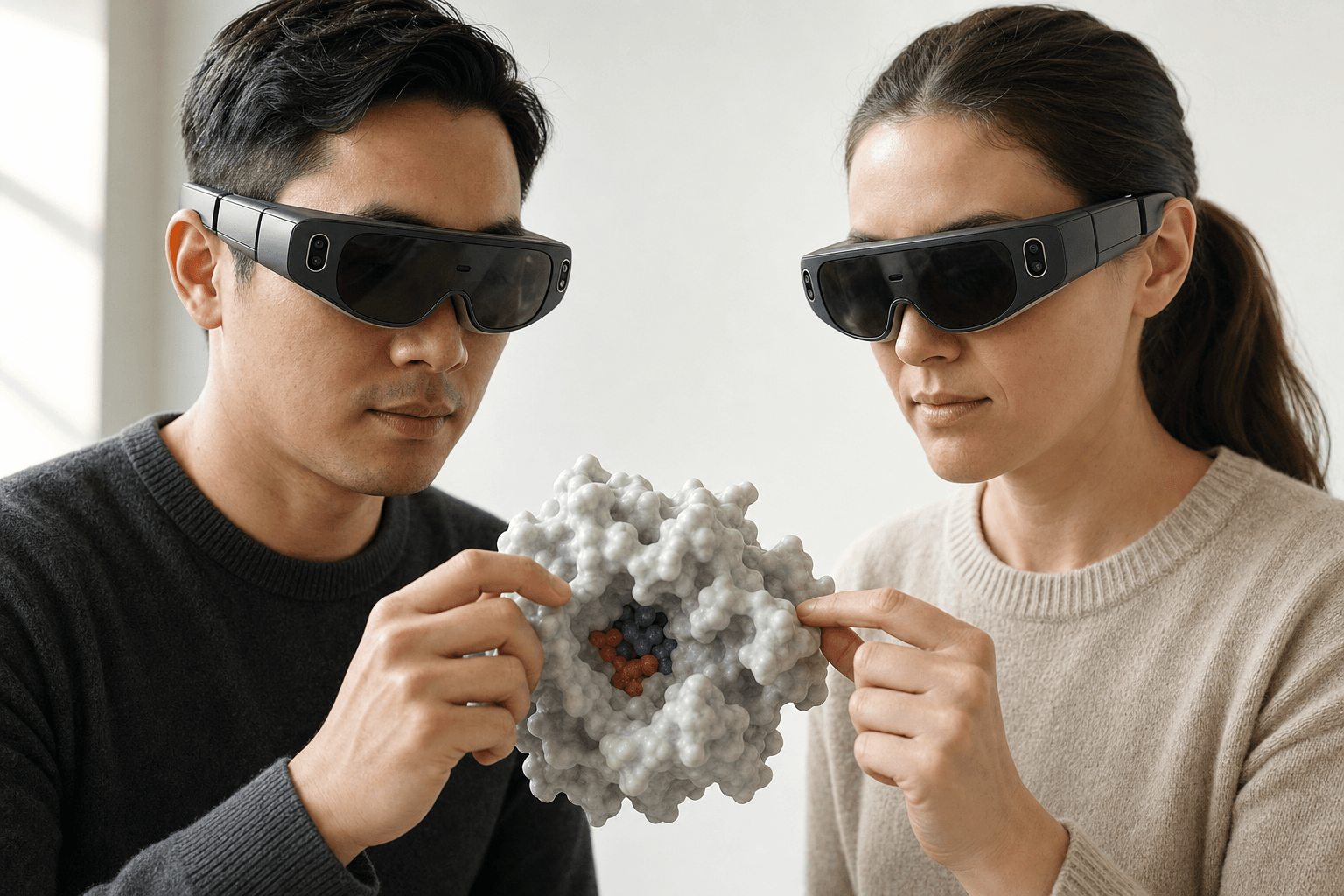 Two colleagues wearing ultra-thin VR headsets examine the same solid protein surface model with a visible binding pocket floating between them
Nanome adds two things on top of that stack: immersive inspection of the structure itself, and an AI copilot that drives the analysis tools.
A PDB structure opens in real-time 3D in the browser, or you can step into it in XR on a Quest, a Vive Focus 3, a Pico Neo, or an Apple Vision Pro. Several people can stand in the same structure at once and point at the same residue, which is hard to arrange over a screen share. Depth carries weight here too: a pocket that reads as a shallow dish on a flat display can turn out to have a lip and a back wall.
Then there's MARA. You describe the analysis in ordinary words, and MARA picks what to run from a library of 300+ integrated scientific tools across 26 categories. For protein structure work that covers:
- Electrostatics through APBS.
- Non-covalent contacts between residues and ligands.
- Solvent accessible surface area per residue.
- Alignment and superposition.
- Pocket and binding site detection.
- Analysis of a molecular dynamics run.
Each run comes back with its provenance attached: the tool that fired, the parameters it got, the output it returned. That gives a reviewer something to check rather than an answer to take on faith. For antibodies the method set narrows considerably, and software for computational antibody design goes through the numbering, CDR, and sequence design tools those projects lean on.
Comparison
| Desktop tool | Its strongest ground | What Nanome puts next to it |
|---|---|---|
| PyMOL | Publication figures, scripted rendering, a fast look at a structure | Opens the saved .pse, then adds a room several people share and MARA running electrostatics, SASA, and pocket detection on request |
| UCSF ChimeraX | Large assemblies, density maps, a deep command set | Immersive 3D, and an analysis a scientist can ask for in words rather than type as a command |
| VMD | Trajectory work and frame-by-frame motion analysis | Playback a whole group watches together, with MARA reporting on the run |
| Coot | Model building and refinement into electron density | Picks up the refined PDB or mmCIF for inspection and the analysis that follows |
Where another tool is the better call
If the week is publication figures and refinement into density, PyMOL, ChimeraX, and Coot were built for exactly that and are worth keeping. Nanome suits the jobs where immersive 3D helps read a structure, where several people need to reach the same conclusion at the same time, or where asking for an analysis in words fits the group better than writing it. Plenty of labs run both. Nanome connects to Schrödinger LiveDesign, Cresset Flare, and OpenEye instead of asking anyone to drop them, and it reads Maestro .mae and .maegz, the same files a LiveReport hands over.
A wider survey of the viewers in this category sits in the best molecular visualization tools. When the structure work feeds a chemistry program rather than ending at the figure, drug discovery software for computational chemistry maps the rest of that stack.
At UC San Diego, Prof. Zoran Radić's lab took a compound library aimed at nerve agent poisoning all the way from the X-ray structures at the start to lead optimization at the end, and published the work in the Journal of Biological Chemistry. Radić on what shifted: "Virtual reality changed my perspective of macromolecules." More of that work is written up at nanome.ai/case-studies.
FAQ
What file formats does Nanome load for protein structure analysis?
Structures: PDB (.pdb, .ent), mmCIF (.cif, .mmcif, .mcif, .bcif), SDF, MOL and MOL2, XYZ, PQR, SMILES, and PDBQT (converted to PDB on load, with charges dropped). Vendor and session files: Maestro .mae and .maegz, MOE .moe, and PyMOL .pse, all import only. Trajectories: .gro loads on its own, while .xtc, .trr, and .dcd attach to a model already open and have to match its atom count. Electrostatic maps come in as .dx overlays on a loaded model. Structures also arrive by ID from RCSB PDB, PubChem, and DrugBank. What comes back out is PDB, SDF, or SMILES, single frame. More on supported formats.
Can pockets be found without writing a script?
Yes. A plain English request to MARA runs pocket and binding site detection through the integrated tools, and the reply names the tool that ran and what it returned.
Does Nanome replace PyMOL or ChimeraX?
No. It sits beside them. What it adds is a session several people join at once, native XR inspection, and MARA taking analysis requests in ordinary words. It also connects to several established suites rather than competing across the board.
Is a headset required?
No. The browser web app runs without one. XR is there on Apple Vision Pro, on Quest, on Vive Focus 3, and on Pico Neo, for the days when immersive 3D earns the extra step.